


Master the basics of visual: how to become a self-taught UI/UX designer
Recently, quite often many people asked me the similar questions: what’s your design process ? How did you start? What skills are required to become UI/UX designer? What tools do you use? By this article I’ve decided to answer all of these questions and describe how I started and become and UI/UX designer.
How I’ve started
As far back as I can remember, I was always passionate about creativity and was eager to build/create something out of nothing. My journey with graphic design started when my grandmother bought me a first PC. I’ve spent hundreds of hours learning basic design principles by reading articles, books and watching video tutorials. Back in the 2007–2008 I started learning the basics of html/css code and designing very simple one page websites. Working on concept/training projects really helped me get into industry pretty quickly. At the beginning of my career I spent most of my time freelancing — designing, coding very simple websites. After a while I’ve realised I need to find out full-time job in order to improve my skills, knowledge and experience.
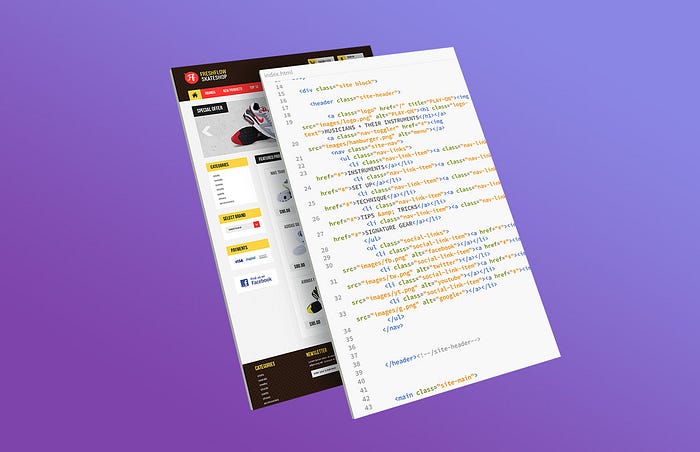
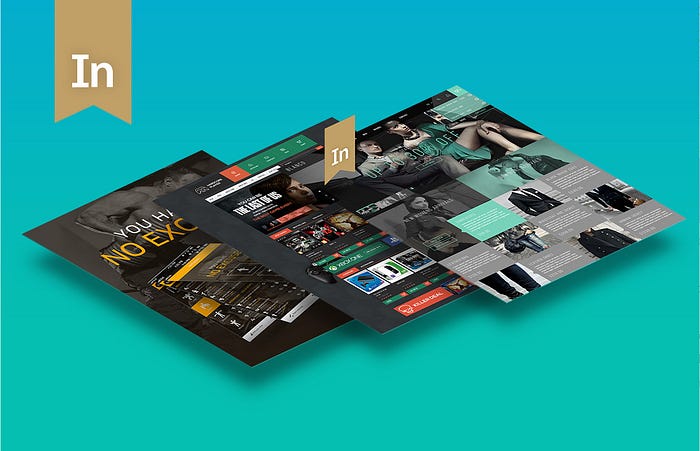
In September 2010 I joined the web design agency based in home town Lublin, Poland. I’ve had great opportunity to collaborate with other designers, developers and work closely with our clients. I’ve got involved into product development cycle which really helped me in understanding the web design process and helped me to become a lot more experienced designer. In addition to my full time job I was also doing freelance. In that period of time, three of mine concept/training projects have been featured on behance.net. Those nominations have given me great opportunity to work for clients from different countries.
In September 2014 I moved to the United Kingdom to start working as Senior web designer at Mothercare LTD. That was a huge step in my career and it has changed me a lot as a designer. I really started to understand the UX design process and the importance of User centred design. In 2015 I’ve been promoted to the new role — UI/UX designer and become the part of UX team.
After almost 4 years — In 2018 I left Mothercare and started working as Senior UI/UX designer at Halfords LTD based in London. As Senior UI/UX designer I have reponsibility of producing and delivering digital solutions and products optimised for wide range of devices. I work collaboratively with user experience team to make sure that we deliver exactly what our customers need, while keeping an eye on business goals & objectives.
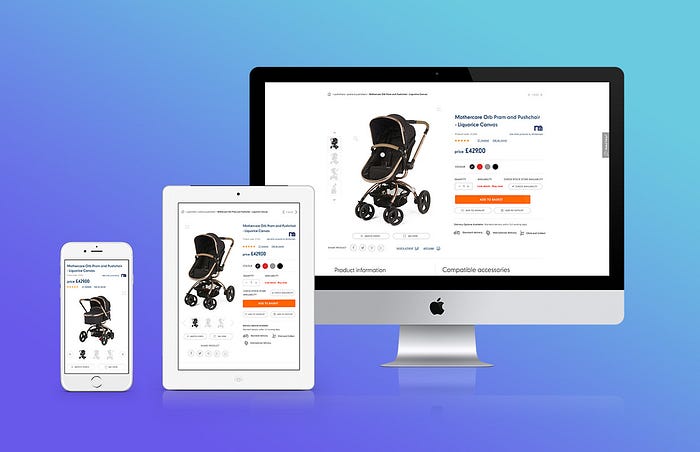
In addition to my full time job I do also work on my personal/concept project’s daily — You can find some of my recent design work linked below:
Dawid Tomczyk
I’m Senior UX/UI Designer living in United Kingdom. I’m passionate about creating innovative digital solutions & help…
dribbble.com
Please keep in mind they are many different ways to get into this field – there is no one/simple path that everybody takes ! This is how I started and your journey of becoming UI/UX would be probably totally different. Although, I’d like to highlight few points that might be helpful in your journey of becoming UI/UX designer.
Before jumping into UI/UX design you need to master the basics of web & visual design as all of those principles and skills will be carried over UI design (designing buttons, typography, white space, drop shadow, working with colour combinations, gradients, different kinds of grids, layouts etc). Having good understanding and solid foundation in visual and web design is essential to become a skilled UI/UX designer. Below I’ve highlighted some of the basic and key design principles that you need become familiar with (If you’re not already):
1. Color
Great three-part series on color theory — color vocabulary, fundamentals and the psychology of colors.
Color Theory for Designers
2. Grid systems
What they are, and how they can be applied to your design process.
Building Better UI Designs With Layout Grids
3. Composition & Balance
Learn to how balance a composition
Design Principles: Compositional, Symmetrical And Asymmetrical Balance
4. Typography
Better Web Type is an easy-to-follow web typography email course for web designers & web developers. Created by Matej Latin
Sign up for the free typography course
5. Contrast
Using contrast to organize information, build hierarchy and create focus.
Principles of design: contrast
Another very important aspect in becoming a UI/UX designer is understanding the process, methods, philosophy that are used in UX design process. Generally speaking, the UX design process is very flexible — there is no strict rules or order of phases to follow. In addition to that various companies, teams might have different methods of implementing their own design process. Although I’m going to give you idea of a general and common UX design process called Design Thinking.
What is Design Thinking?
Design Thinking is the process of designing product from perspective how it will be understood and used my users rather than requiring users to adopt their behaviours in order to learn how to use the system. The goal is to develop useful & valuable products based on user needs, not the other way around. Design Thinking occurs in the following five stages.
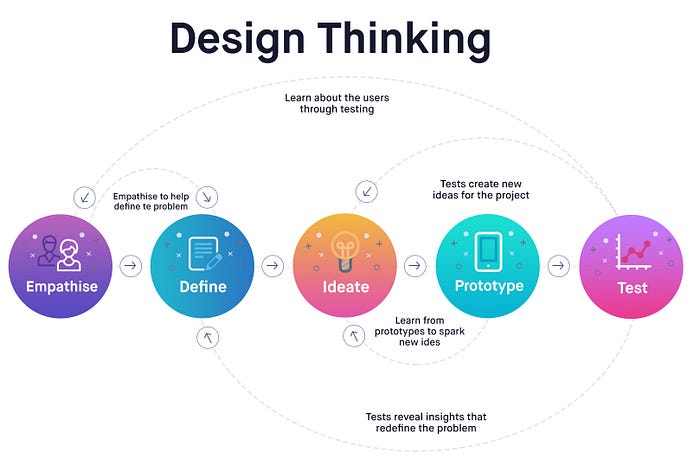
1. Emphasize
The first stage of the Design Thinking is about getting to know the users, their wants, needs and objectives. This includes: observing and engaging with people their experiences and motivations, as well as immersing yourself in the physical environment so you can gain a deeper personal understanding of the issues involved. All of the insights gathered at this stage are carried over the next stages
2. Define
The second stage in the Design Thinking process is dedicated to defining the problem based on the information you have gathered during the Empathise stage. During Define stage you will analyse your observations and put them in order to define the key problems that you and your team have identified so far. Once you’ve created a problem statement you can start to progress into the third stage of Design thinking, Ideate.
3. Ideate
All of the insights from the previous stages have given you very solid foundation in the terms of understanding your users, so it’s time to generate potential solutions to the problem statement you’ve defined during the define stage. There are many different types of ideation technique that will help you to generate potential solutions and ideas: brainstorming, mindmapping, bodystorming. The main goal of this stage is to generate as many potential solutions as possible when moving to the next phase in the Design Thinking process — Prototype.
4. Prototype
The fourth step in the Design Thinking process is all about experimentation and turning ideas into tangible products. A prototype is basically a scaled-down version of the product which incorporates the potential solutions identified in the previous stages. This step is key in putting each solution to the test and highlighting any constraints and flaws. Throughout the prototype stage, the proposed solutions may be accepted, improved, redesigned or rejected depending on how they fare in prototype form.
5. Test
Testing stage is about validating the product before final developing it. This is the final stage of the 5 stage-mode, however the results generated from the testing phase will often lead you back to a previous stages of the process, providing the insights you need to improve the current built of your product and test it over again.
Design Thinking is flexible & iterative process — that means process doesn’t have to follow the steps in sequential sequential order — The 5 stages should be understood as different modes that contribute to a project. I’ve described those steps very briefly, so If you need to learn more about each particular one you should visit www.interaction-design.org
Very strong visual/UI design is very valuable asset and crucial step of becoming UI/UX designer and probably the hardest discipline to perfect — it takes months, years of practice. You need to focus on visual/UI design as the very big part of your skillset. You have to learn how to design user interfaces for different kind of devices including desktop, tablet, mobile etc. Every single day you need to work, perfect and sharpen your design skills — how to do that? I’ve pointed below few ideas and methods that you might use.
Get familiar with UI/UX design patterns
You need to get familiar with the UI/UX design patterns and what particular problems they solve.
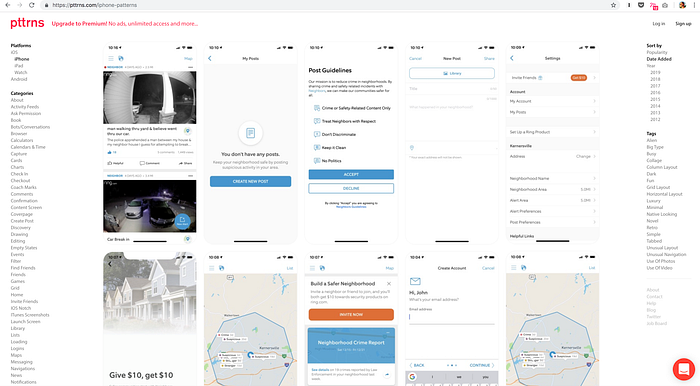
Generally speaking, a UI/UX Design patterns are recurring solutions that solve common design problems you might encounter every day working as UI/UX designer. Design patterns are also known as standard reference points, guides, templates that designers might use to solve a particular problem when designing a website or mobile app, so you do not have to reinvent the wheel every single time trying to solve a particular design problem.
I’ve put together a list of some of the best places to find design patterns on the web:
- pttrns.com A great collection of mobile design patterns
- www.uisources.com — mobile design patterns & interactions
- https://uigarage.net —
- UI.patterns — User Interface Design patterns are recurring solutions that solve common design problems
- uimovement.com The best UI design inspiration, every day.
Copy top designers
There is no better thing than learning from better and more experienced designers. Not everyone has a mentor or someone helping in learning UI/UX design, so I’d like to share with you very effective method that will help you improve your visual skills on your own. How to start? You need to go to Dribbble, Behance, Pinterest (or any other website where you might find good designs) and literally start copying top designers. Although, do not just blindly copy those designs, you need study them very carefully and pay close attention to the following:
- layout (UI placement, spacing, padding, grids etc.)
- navigation (placement, size)
- typography (font sizes, line height, serif or sans-serif)
- icons (what type of the use? how and when the place them)
- background (gradient, photo used? )
Focus on layout, navigation, typography, icons, background, content etc. and try to understand how all of those small details are coming together. Copying and recreating others will give you that good taste, so you will have better understanding and idea how good design looks like. This is how I got better and many, many other designers and you will only when you start using this method! Remember though— It’s all about the practice! you’re not reselling this stuff.
“The best and fastest way to learn a design it to watch and imitate a more skilled & experienced designers”
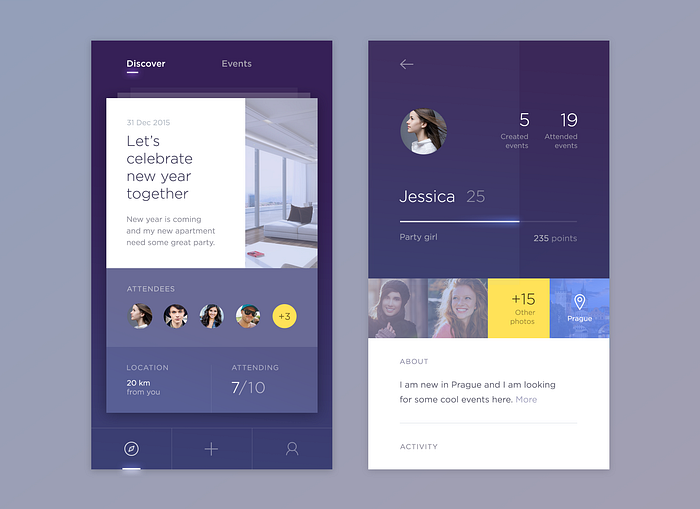
Details really matter
When it comes to UI/UX design attention to details is crucial — sometimes even really small and subtle change might make huge difference, so you need to start paying attention to every single detail of your designs — I personally believe that attention to details is a very valuable skill that puts designer on higher level.
“Devil is in the details”
You need to be able how to differentiate good from bad design. You need also train your eye every single day — go do Dribbble, Behance and study very carefully top designers — how they use white space, typography, spacing, colour combinations etc. Practice makes perfect.
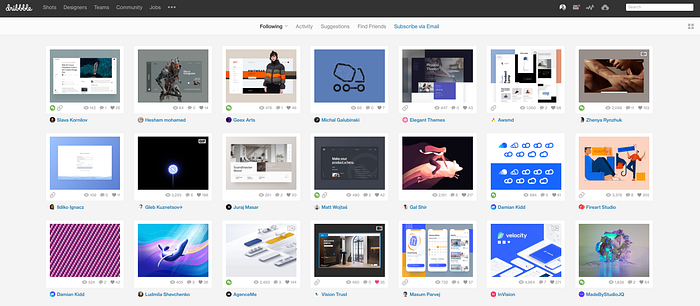
Here are my favorite websites for inspiration:
- behance.net Discover the latest work from top online portfolios by creative professionals across industries.
- dribbble.com A community of designers sharing their work.
- Uplabs curates the best of design & development inspiration,
- awwwards.com Awards website that promotes design talent.
- uimovement.com The best UI design inspiration, every day.
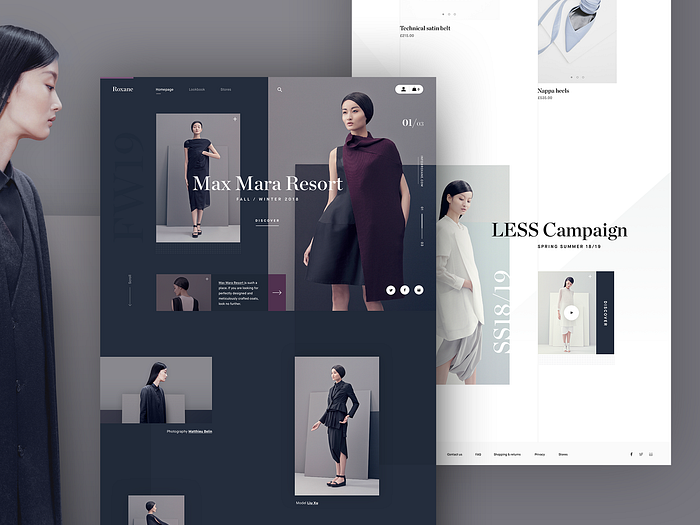
In order to improve your visual/UI design skills you should start also working on the fake/concept projects. This is great practice method which will help you to build your portfolio and then get new clients or landing full time job. In addition to that working on the fake projects is also a great fun as you’ve got total freedom to play around with different design ideas, layouts, colours, typography etc. so enjoy the learning process and have a great fun! Good Visual UI design will draw attention to the peoples
Few years ago when I’ve started getting into UI/UX design there wasn’t much design tools available on the market — designers haven’t got much choice and started using Adobe Photoshop as their primary UI/UX design tool (myself included). Adobe Photoshop as a software, was never created for designing websites, apps purposes. Nowadays there are tons of great and a lot more efficient UI/UX design tools on the market — the good news is that you do not have to learn all of them. Just give it a try to few of them and then stick to one/two and master them.
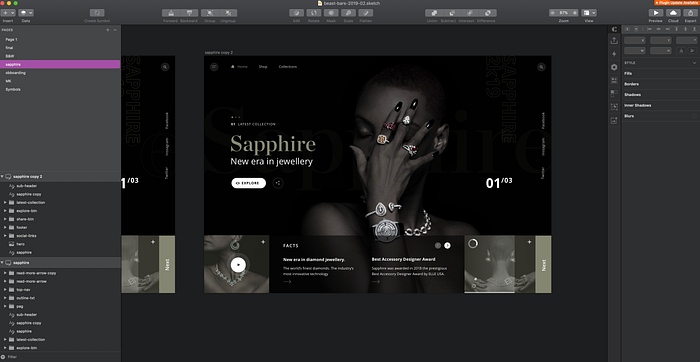
I’ve been using Sketch app for a while now, so If you’re a Mac user I highly recommend this tool. If you’re on Windows you should try the Adobe XD. Here’s the list of software that you should give it a try:
- Sketch — leading UI/UX design tool (for Mac users)
- Adobe XD for interface design and prototyping
- Framer — Interactive design and prototyping tool
- Figma for collaborative interface design
- UXPin — for design, prototyping, collaboration (web browser based app)
- Invision App for prototyping and collaboration
There is tons of great and free software learning resources available on-line. There is no better thing than learning from more experienced designers. Here’s few of them which will give you really good start in the terms of learning particular software.
You need to invest your time in acquiring knowledge and then making use of the knowledge you will gain, so start reading articles, books, listen to podcasts and watch design related videos — There are tons of articles & video tutorials available online for you to learn about new design trends, use cases and tutorials. These are great resources that you can use to build your knowledge and expertise as UI/UX designer.
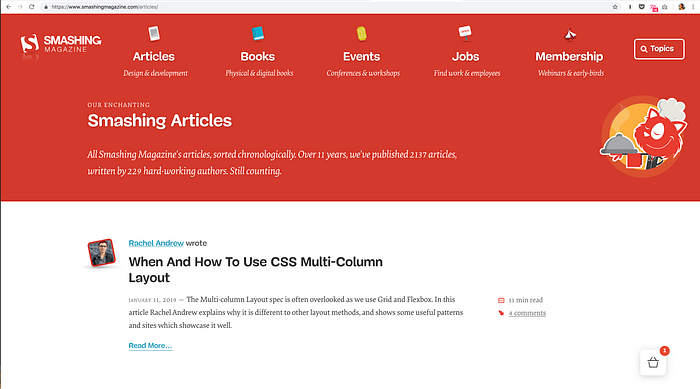
Here is the list of my favorite design related websites and blogs:
Best YouTube channels for UI/UX designers
The Futur
The Futur is a YouTube channel dedicated to the business of design and the design of business. Hosted by award winning designer Chris Do, topics covered in The Futur range from designing the perfect landing page, to figuring out what to charge a client and portfolio critiques. The videos have high production value and feature guests from all different disciplines.
NNgroup
Nielsen Norman Group offers evidence-based user experience (UX) research, training, and consulting. The company was founded by Jakob Nielsen and Don Norman.
Must-Read books
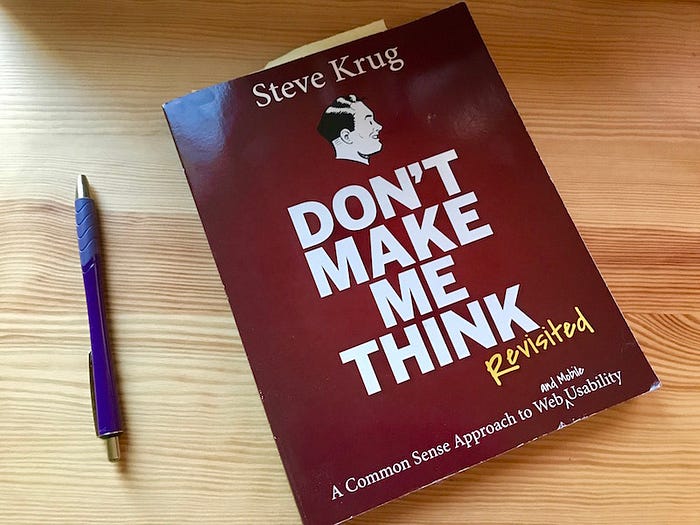
Don’t Make Me Think
If you’ve ever tried searching for something only to get results for something totally different, you know how frustrating it can be. This book helps business owners and marketers think like consumers. It helps you keep focus on the customer — a fundamental rule when you write. The easier you make it for a consumer, the more likely s/he will find you. The book suggests using consumer words rather than technically accurate words. It’s all about keeping common sense in the forefront of your mind when you’re creating or updating your website.
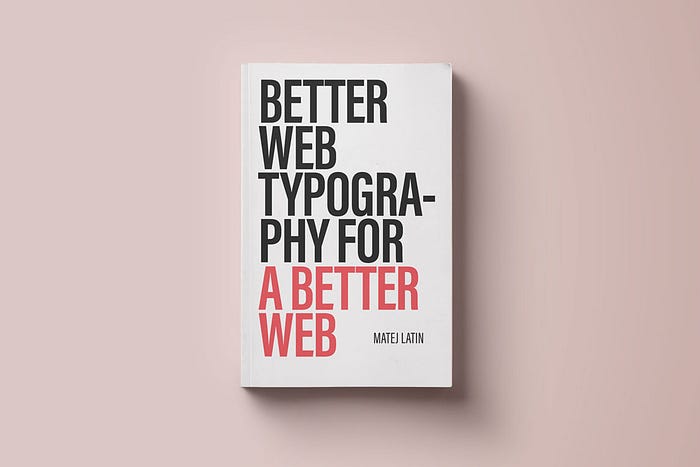
Better Web Typography for a Better Web
Better Web Typography for a Better Web is a book based on a top-rated online course explaining typography to people who build web sites-web designers and web developers. The author, Matej Latin, takes complex concepts such as vertical rhythm, modular scale and page composition, and explains them in an easy-to-understand way. The content of the book is accompanied by live code examples and the readers go through a process of designing and building an example website as they go through the book. This is a new typography book for a new medium, the rules haven’t changed much, everything else has.
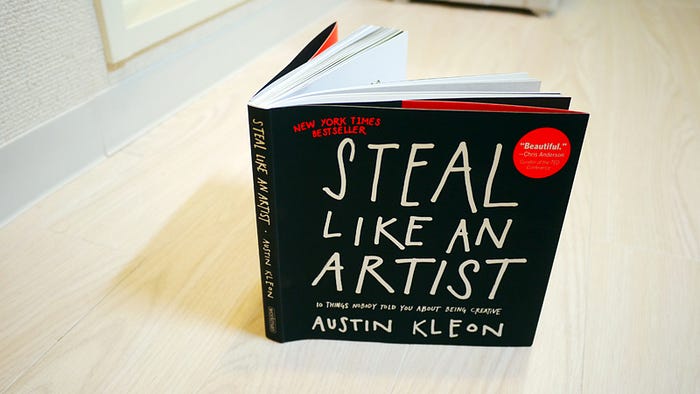
Steal Like an Artist: 10 Things Nobody Told You About Being Creative
You don’t need to be a genius, you just need to be yourself. That’s the message from Austin Kleon, a young author and artist who knows that creativity is everywhere, and creativity is for everyone. A manifesto for the digital age, Steal Like an Artist is a guide whose positive message, exercises, and examples put listeners directly in touch with their artistic side.
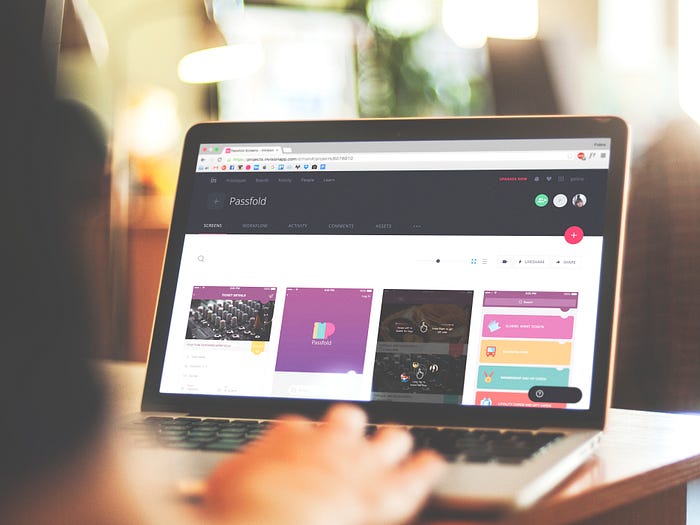
Another very important and essential skill from the UI/UX designers arsenal is ability to create interactive prototypes, share them within your team, users and based on their feedback iterate and make improvements to your existing designs. There are many different prototyping tools available on the market and most of them are very easy to learn. When it comes to the tools — I’ve been using the Invision app for the few years now, so that’s my tools of choice that I do recommend. Recently I’ve started playing around also with Invision Studio and Adobe XD, so you might give it a try and compare which tool works best and fits your needs the most.
Learn the basics of animation and interaction design
Animations in the interface can make a huge difference and greatly improve the overall user experience of your digital products. As UI/UX designer you need to become familiar with animation and foundation of interaction design. Start with learning basic principles of animation — what’s the function of animation? when should I use it? how it works?, what are the keyframes?, learn about transitions, duration, speed, easing etc. The list of tools I highly recommend:
- PrincipleForMac — great software for creating animations and interactions (compatible with Sketch app)
- AdobeXD — great software for creating animations and interactions
- Framer — Interactive design & prototyping tool
- Invision Studio — great software for creating animations and interactions
This step is the crucial when you’re looking for new job or new clients working as freelancer. Portfolio is your golden ticket — recruiters by looking at it will decide whether to start the interview process with you or to choose another candidate. The good news is that the form of your portfolio doesn’t really matters — you might easily create new account and submit your design work to any of following on-line platforms:
- Behance — well known portfolio platform
- Dribbble — another great portfolio platform (invitation required)
- UPlabs — portfolio platform & great collection of free design resources!
- Instagram — well known photo and video-sharing social networking service
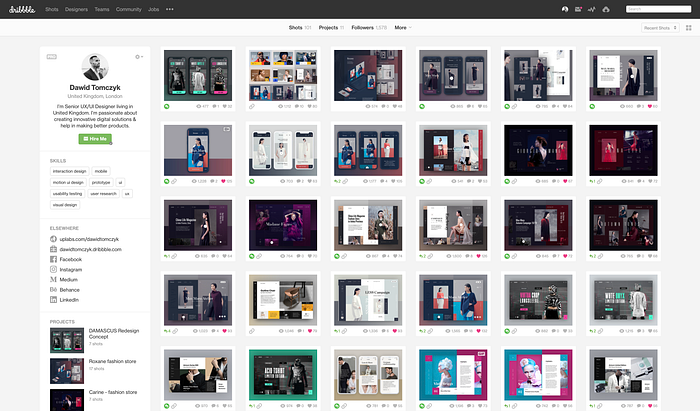
Showcasing your design work on the on-line platforms is also very beneficial as you might receive valuable feedback from others — more experienced designers and based on that iterate a then improve your visual/design skills.
If you’re familiar with coding enough you should also consider creating your own personal website from scratch — that might be very beneficial and give recruiters more context about you.
Conclusion
As you’ve probably already noticed there are many skills required to become a UI/UX designer — unfortunately there is no any short-cuts, magic recipes — it’s all about dedication, hard work, a lot of patient and practice — you need to keep learning and working hard every single day as that’s the only way you can improve. As I’ve mentioned — everybody is different and will have different journey to become a UI/UX designer. I hope you’ve learned something from this article and found it useful. Wish you all of the best and good luck in your new profession!
Excellent breakdown, I like it, nice article. I completely agree with the challenges you described. For our projects we started using Listandsell.us and experts for our service, Americas top classified growing site, well can i ask zou a question regarding zour article?
this is one of the best article i read today, i enjoy reading how you structure this article, keep up the good work, my site is the best webdesign freelancer in berlin in Germany, https://webdesignfreelancerberlin.de/ you can check it out. Thank you
Starting something new can feel challenging, but every design journey begins with a willingness to learn. Focus on progress rather than perfection, and give yourself the space to experiment, make mistakes, and improve. UI UX design course in Chennai Unlock your potential in the exciting world of UI and UX design with our immersive 3-month learning program. 2 Months of internship at Digital Techworks
Passion and curiosity often create stronger foundations than experience alone. When you’re genuinely interested in learning and improving, growth becomes a natural part of the process. UI UX design course in Chennai Unlock your potential in the exciting world of UI and UX design with our immersive 3-month learning program. 2 Months of internship at Digital Techworks
At its core, design is about people. Understanding user needs, behaviors, and challenges helps create solutions that are meaningful, useful, and impactful.
UI UX design course in Chennai
Unlock your potential in the exciting world of UI and UX design with our immersive 3-month learning program. 2 Months of internship at Digital Techworks
As technology continues to evolve, user experience has become more important than ever. Students who develop design thinking, research, and creative problem-solving skills today are preparing themselves for exciting opportunities in tomorrow’s digital world.
UI UX design course in Chennai Unlock your potential in the exciting world of UI and UX design with our immersive 3-month learning program. 2 Months of internship at Digital Techworks